

WILDLABS


WILDLABS
Fauna & Flora


As WILDLABS has grown over the past decade, so have the needs of our global community, which now includes more than 15,000 members across 180+ countries. Thanks to the support of Arm and the development work of Octophin Digital, we are pleased to introduce WILDLABS Translation! This functionality has been a long time coming, and we are eager to work with all of you to ensure it helps create a more inclusive and engaging experience across the platform.
Building on the momentum of the International Conservation Technology Conference (ICTC 2026) in Peru and in recognition of the ever growing Spanish speaking contingent of the WILDLABS community, we are choosing the addition of Spanish (the 4th most spoken language in the World) as our first step in becoming a multilingual platform. We hope these new language and translation features will help broaden the collaboration and connectivity of Spanish speaking conservation technology communities and bring together additional language groups in the future.
Visitors to the site now have the ability to view the website navigation in Spanish and see Spanish content added by the community. Alongside this, registered members now have the ability to create translated variants of their existing content or post new content in the available website languages (e.g. Spanish). Members will also see a new AI translate button on comments and posts if they are not in your set website language, giving you the option to use AI to translate that into your website language.
While anyone can view manually translated content, for now only trusted contributors (members who have earned their Sprout Badge) can create translations of their content or use the new AI features. If you spot any inaccuracies with existing translations, please use the on-site reporting functionality or email [email protected] with details. If you spot any inaccuracies with translated content posted by other members, drop them a polite direct message flagging the error, or use the on-site reporting functionality.
Read below for more information about the new translation functionality and how to use it:
Website Language
A new language setting has been added to all WILDLABS member accounts. Originally you had the option to choose your ‘Language’ just to show what language(s) you speak. But now we have split this into two settings:
Website language
- This new account setting determines what language you view the website in. It only allows the selection of languages that have been set up on the website, which is currently English or Spanish.
- This setting will change all the navigation menus to that language and automatically switch content to that language if the author has provided a manually translated variant. It also determines what language the AI translate button on comments translates things to, and the original language content is in when you create a post.
- You can temporarily switch the overall website language in the top right of the website or via content languages as you choose, but when you leave the website and come back it will revert to the website language chosen in your settings. New members will choose this when they register, but existing members will need to go into their settings to change this.
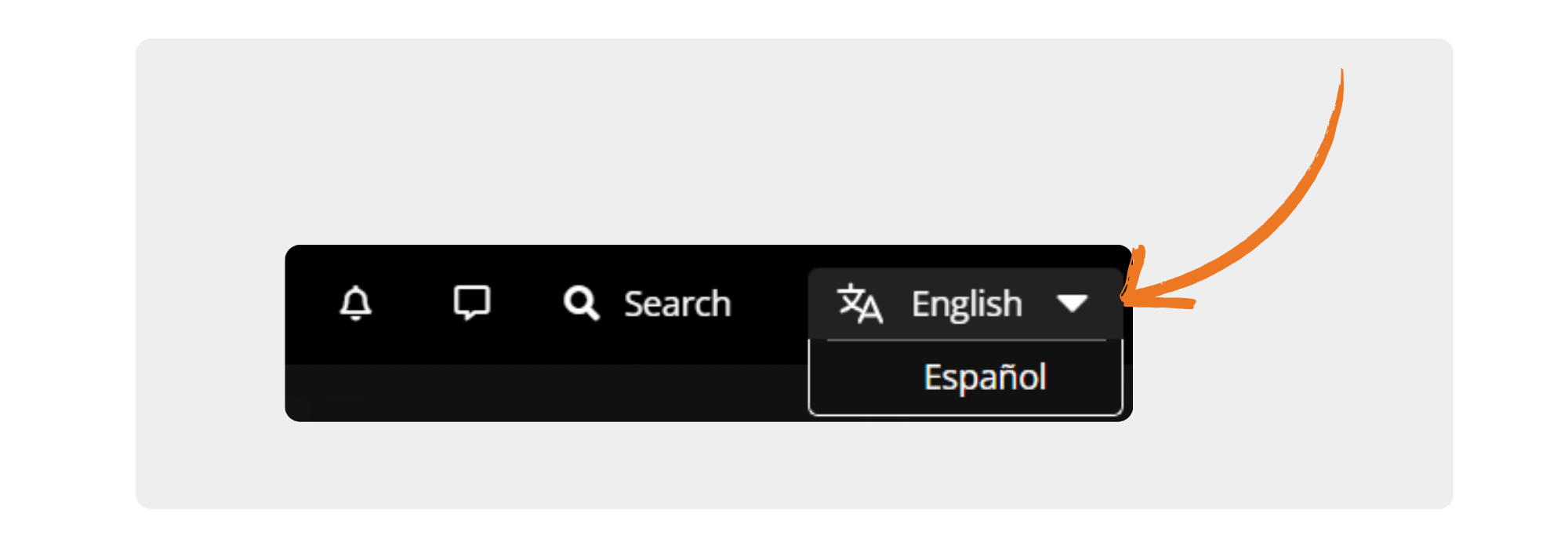
- To change your website language:
- Navigate to your profile page
- Click the settings tab on the left hand side
- Click the ‘Basics” tab in settings
- Choose a language from the ‘Website language’ drop down
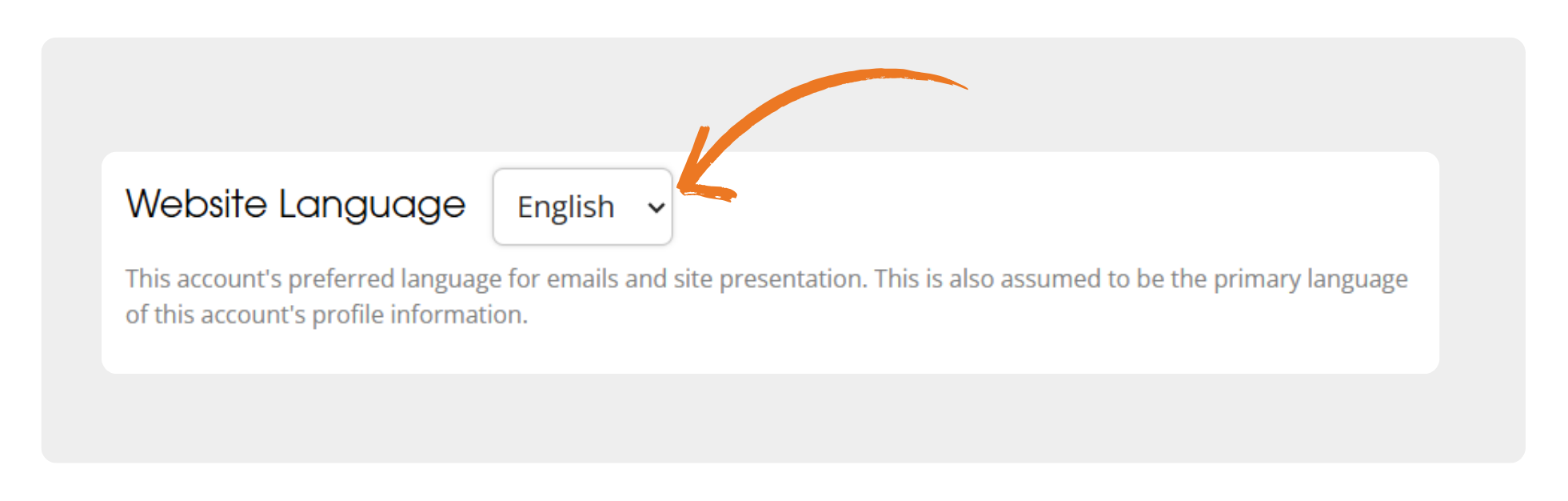
- Press save at the bottom of the screen
- The default and primary language of WILDLABS will continue to be English. So if you leave this blank, everything will display in English.
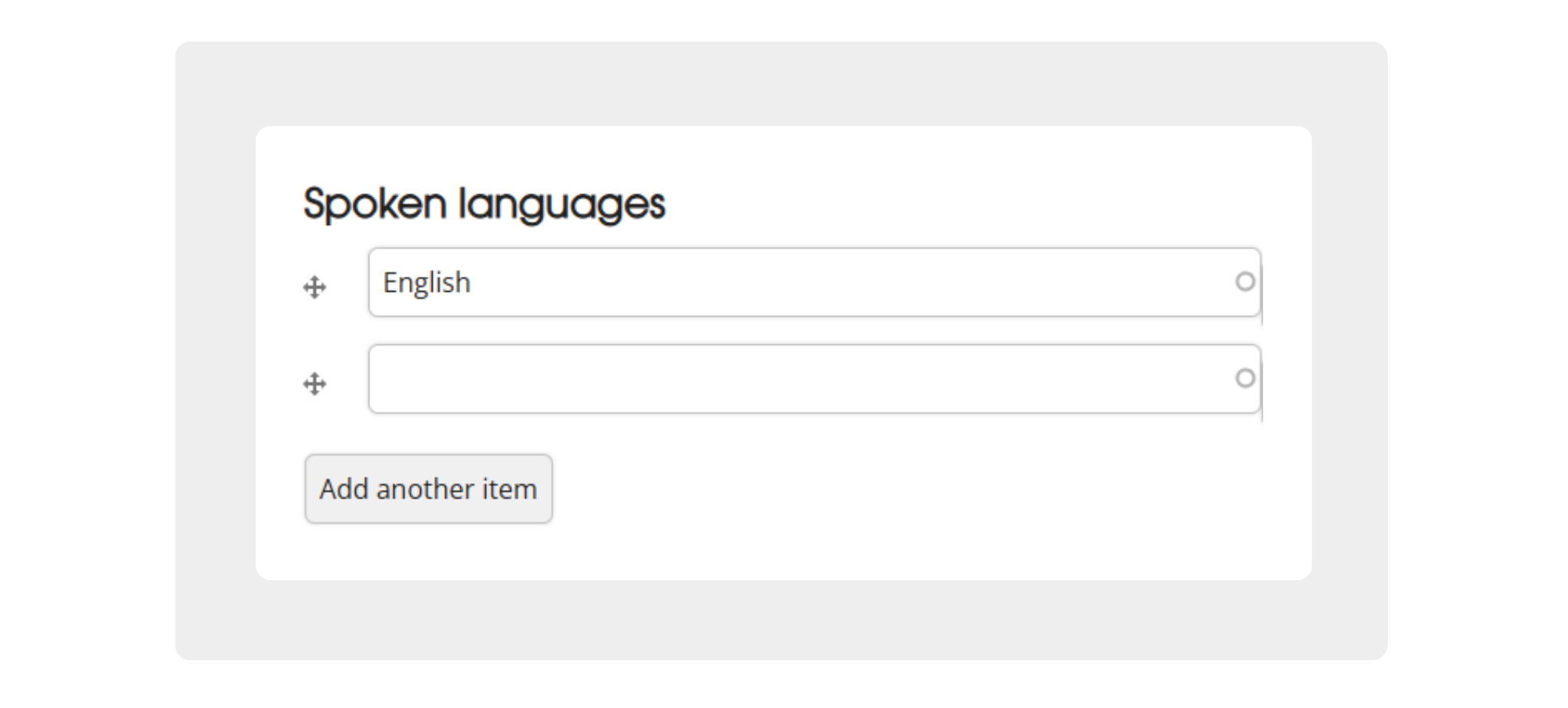
Spoken languages
- This is essentially just the old language setting. Just a way to display to other members what language(s) you speak in. Feel free to select multiple.
- This will not affect your website language or how content is displayed.
Manual Translation
Viewing different languages
Content (such as an article) will now display what language the content is in, and whether that is the original language or if it has been translated by a human or AI. If the author has manually added more than one language variant of the content, a drop-down will be available to let you select which language to view it in.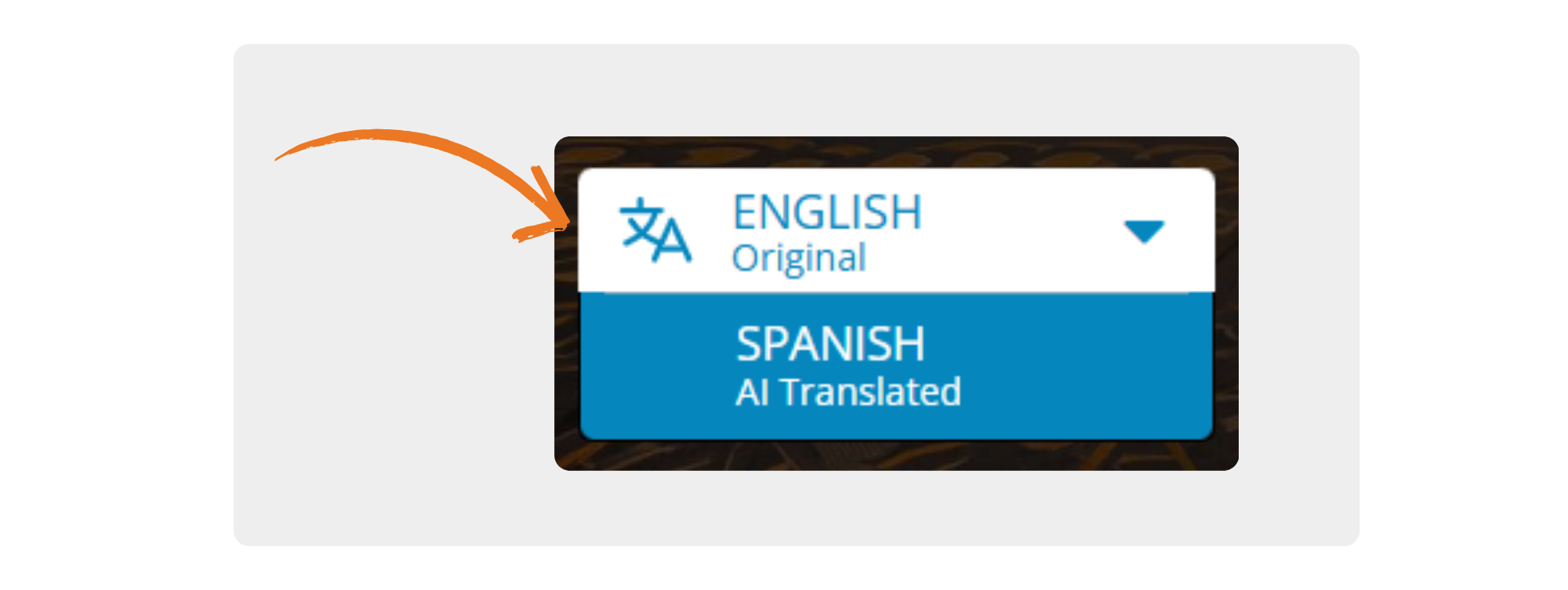
Translating existing content
Trusted contributors (members who have earned their Sprout Badge) now have the ability to translate existing content if they are an author. To create a translation of existing content, such as an article or discussion, follow the steps below:
- Ensure you are logged into your WILDLABS account
- Visit your content you want to translate.
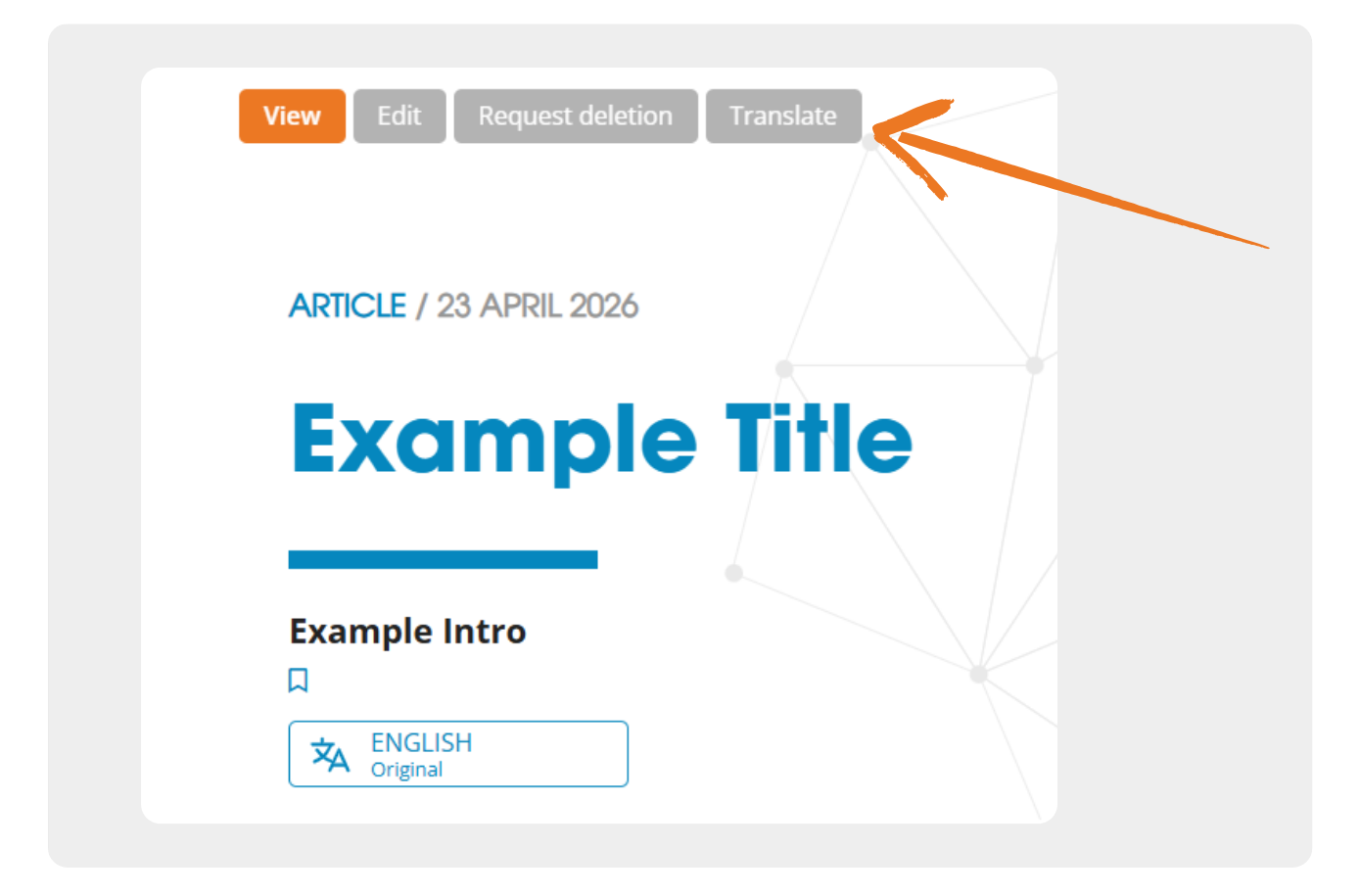
- Click the “Translate” button at the top of the content
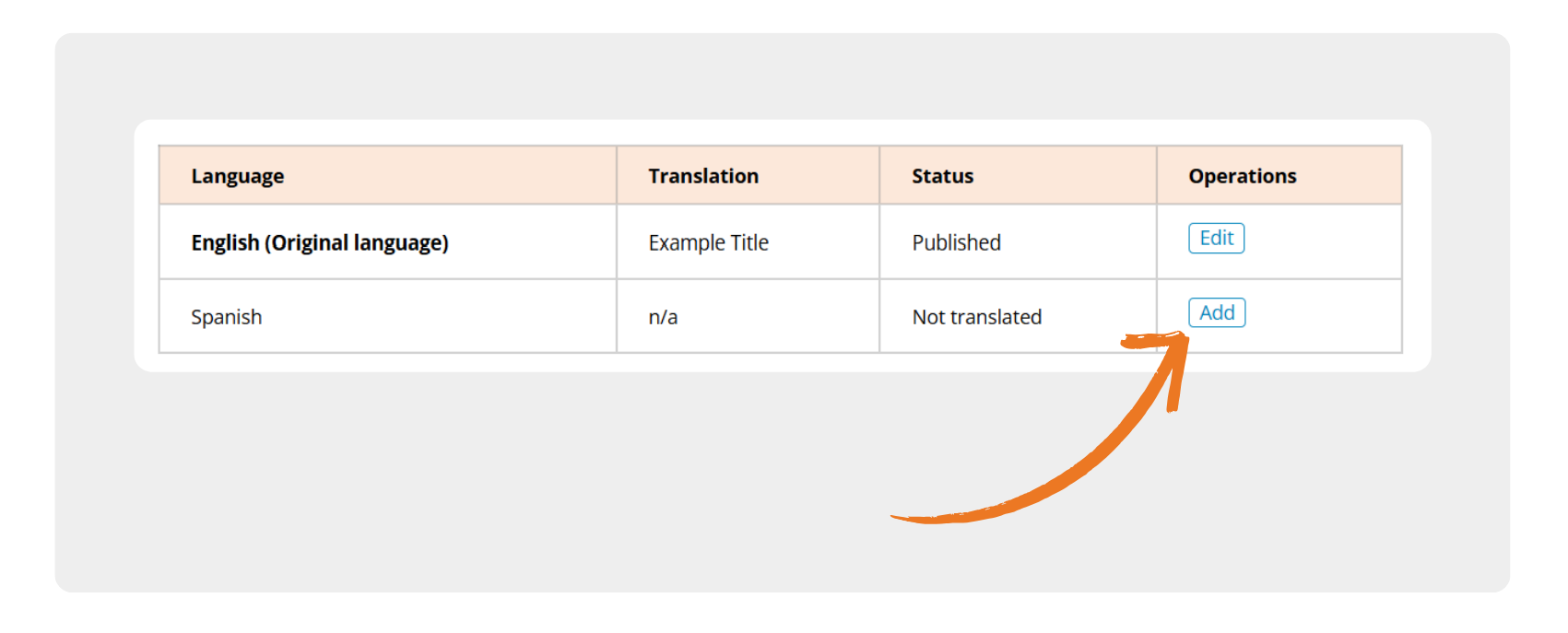
- Click the “Add” button in the row of the language you want to add. This will create a copy of your content and enter into edit mode.
- Amend / replace the title, summary and/or body text of the content with the newly translated text. If you speak the language you can do this yourself, but you can also paste in AI translated content from external sources should you wish.
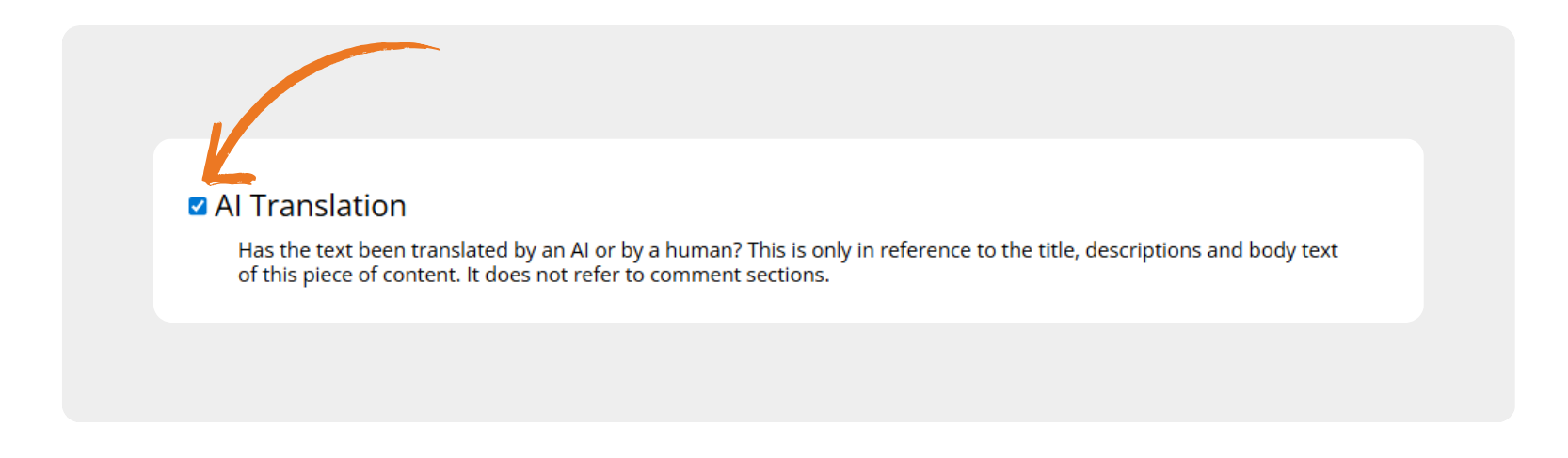
- If you translated the content using AI, please indicate this by ticking the box before saving. If ticked this will show “AI Translated” under the language drop-down option for other users. If unticked, this will show as “Human Translated”. If you initially translated this using AI but then manually corrected / verified the translation, you can leave this unticked to indicate that it has been through human review.
- Click save at the bottom of the page
Posting new content in different languages
Trusted contributors (members who have earned their Sprout Badge) can also create new content in one of the available languages. When creating new content the default language will be whatever you have chosen in your account settings, but you can change this before saving your content. You can find this setting in a drop-down near the top of your content editing form.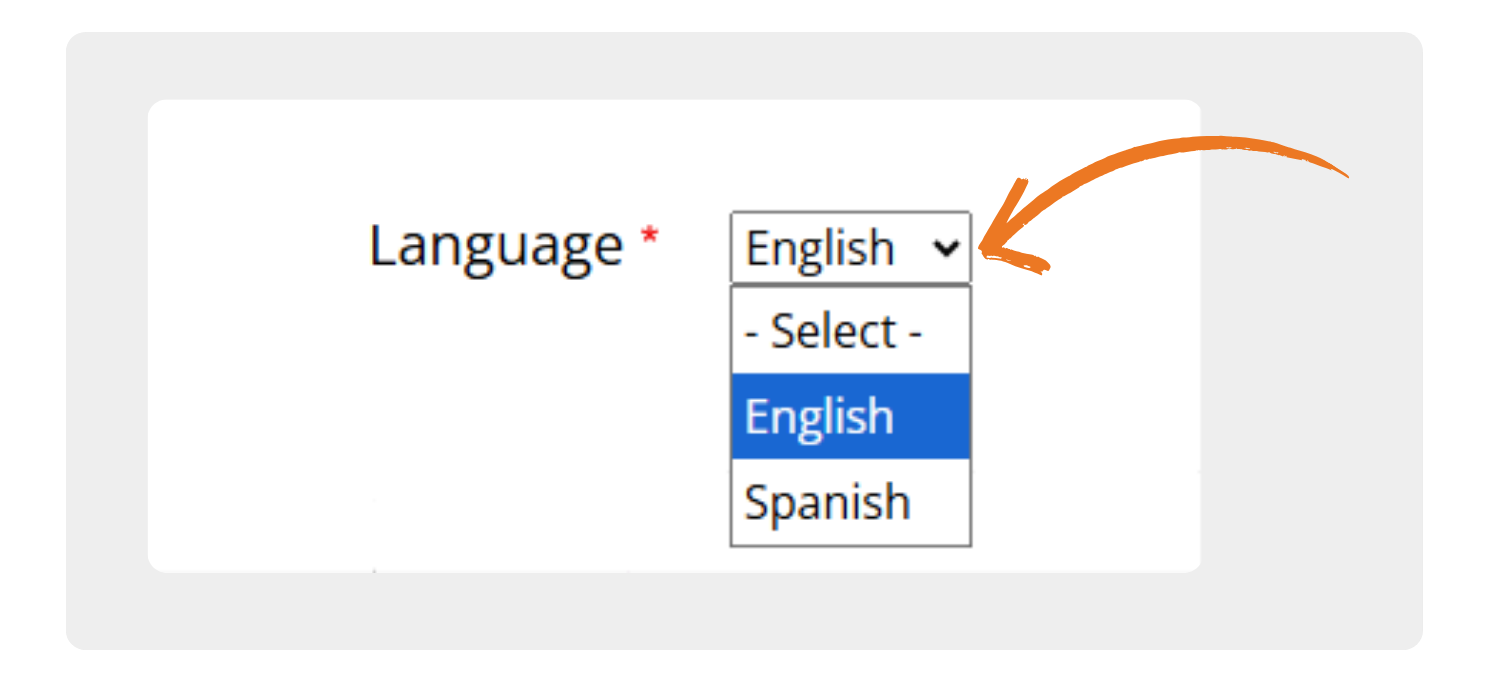
Note: The language you choose when creating new content will be listed as it’s ‘Original language’ and this cannot be changed later. So if you plan on creating content in multiple languages, be sure to start with the original language the content was written in first and then move on to the translations. Also, if you are creating content from scratch, you must publish the original language version of your content before you add translations.
AI Translation
Alongside the core manual translation functionality in this update, we have also rolled out AI translation functionality. You will see “AI Translate” buttons on some content, and next to comments if they are written in a language different from your chosen website language. For example, if a comment is in English and you are using the website in Spanish, you can click the button to AI translate it to Spanish.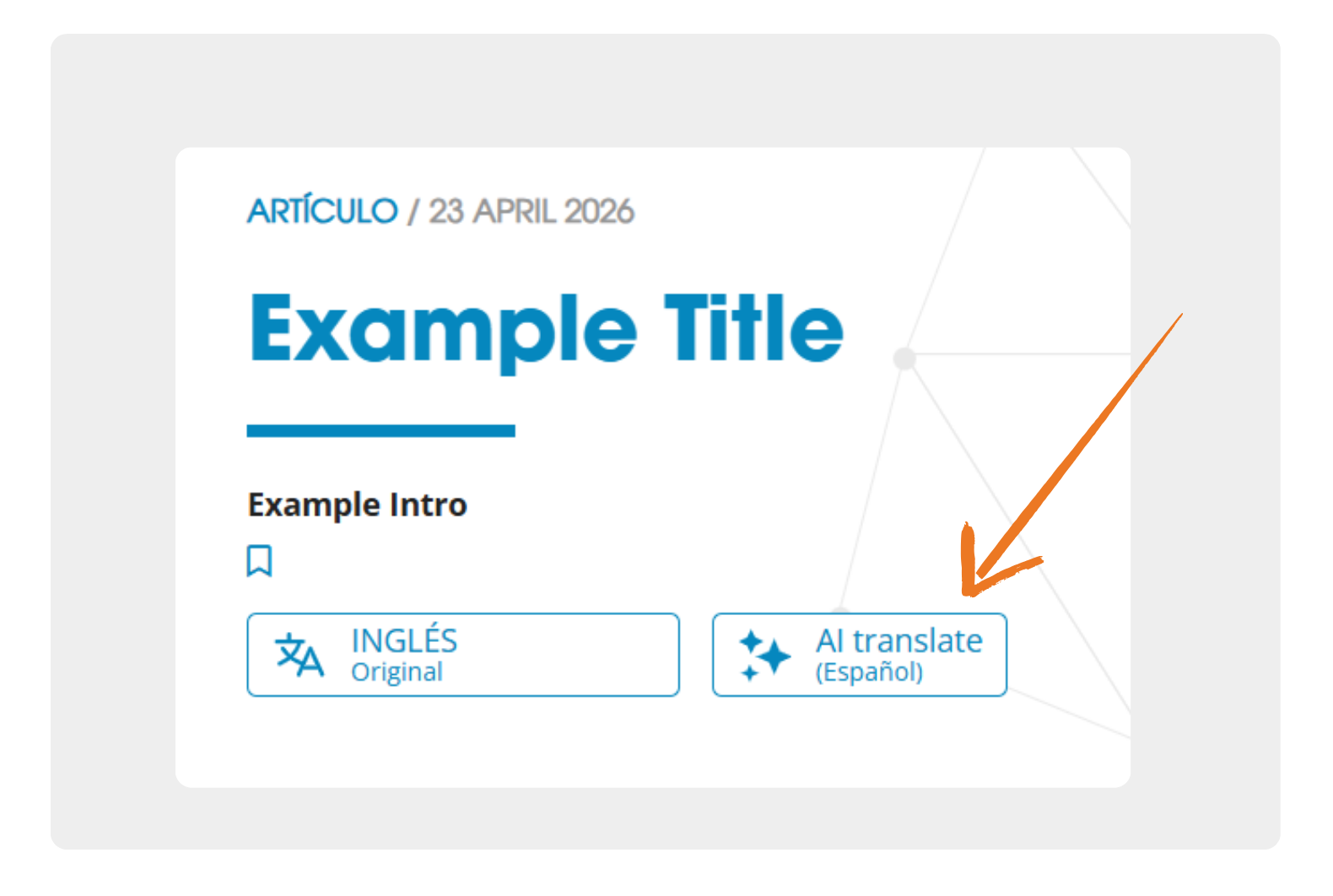
When clicking the AI translate button on content, it permanently saves this as an option for other users to select and view from the language drop-down selector.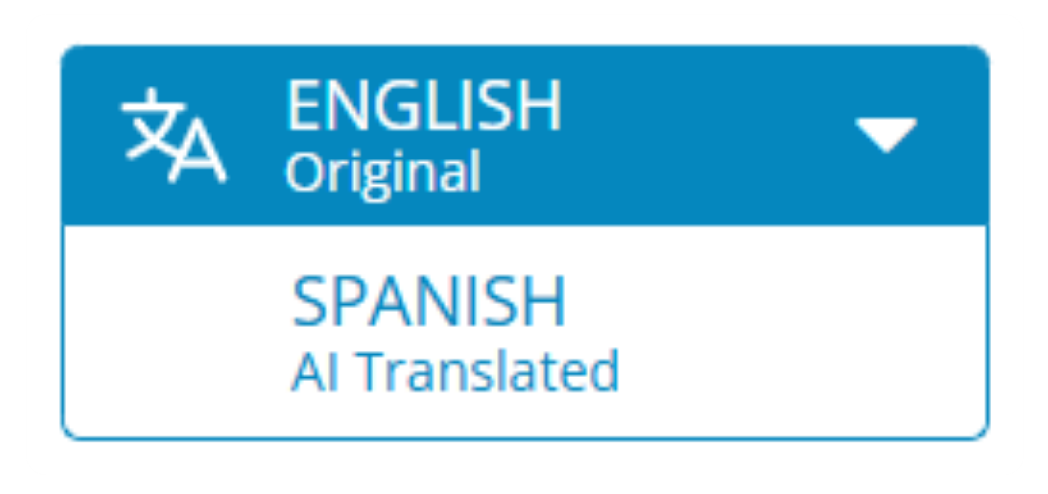
When clicking the AI translate button on comments it will display the translated text below the original language. While this also stores the translation permanently, other members will have to press the AI translate button again to view it, and you will have to press it again if you navigate away from the page.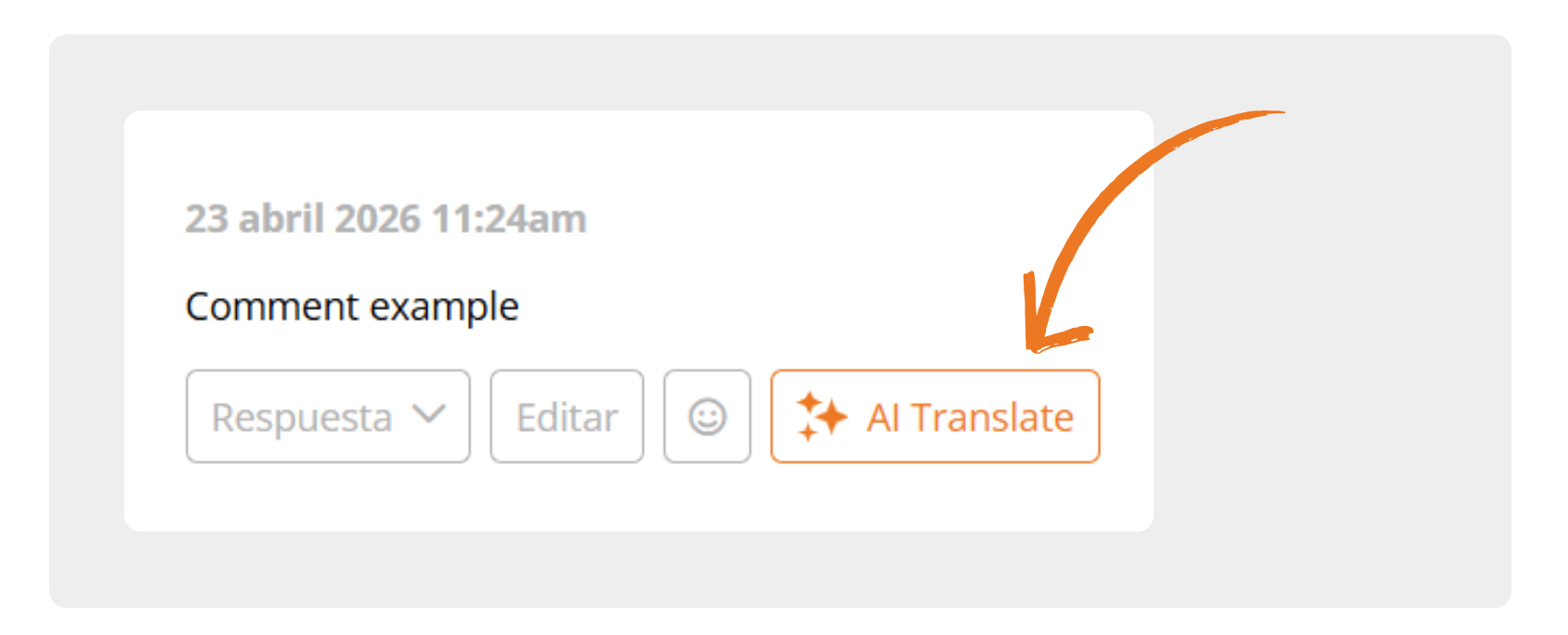
We hope this new AI translation functionality will increase accessibility and allow members of different language communities to come together and collaborate on conservation technology projects.
Note: These translations are run through an AI API, so may contain inaccuracies.
We are excited for you all to use this new functionality, and we look forward to seeing how it will help different communities collaborate on conservation technology initiatives. Although these features are launching initially in Spanish only, this will expand to more languages over time, with French next on the list. Keep an eye out for opportunities for the community to help introduce more languages!
As we roll out this new functionality, you may encounter new bugs or errors. If you spot any problems with the translation functionality, we would be grateful if you could please email [email protected] with the details.
Stay tuned for new language additions and functionalities!
2 May 2026 9:59pm
Three words: W O W ! This is the best innovation of the forum since it started! Finally, we can now easily share our knowledge in other languages. I am super glad that the WildLabs team got around to getting this done!

Frank van der Most
RubberBootsData

2 May 2026 10:04pm
A quick question: is it the caste that if I want an article or post to be findable in another language through the Search box, I should make a translated version?

Jake Burton
WILDLABS
Fauna & Flora
5 May 2026 8:59am
In reply to Frank_van_der_Most
2 May 2026 10:04pm
A quick question: is it the caste that if I want an article or post to be findable in another language through the Search box, I should make a translated version?
Hi Frank, yes that is correct. By making our translated versions actual stored content rather than temporary translations this should get them indexed in our search and internet searches like google.
Frank van der Most
RubberBootsData